
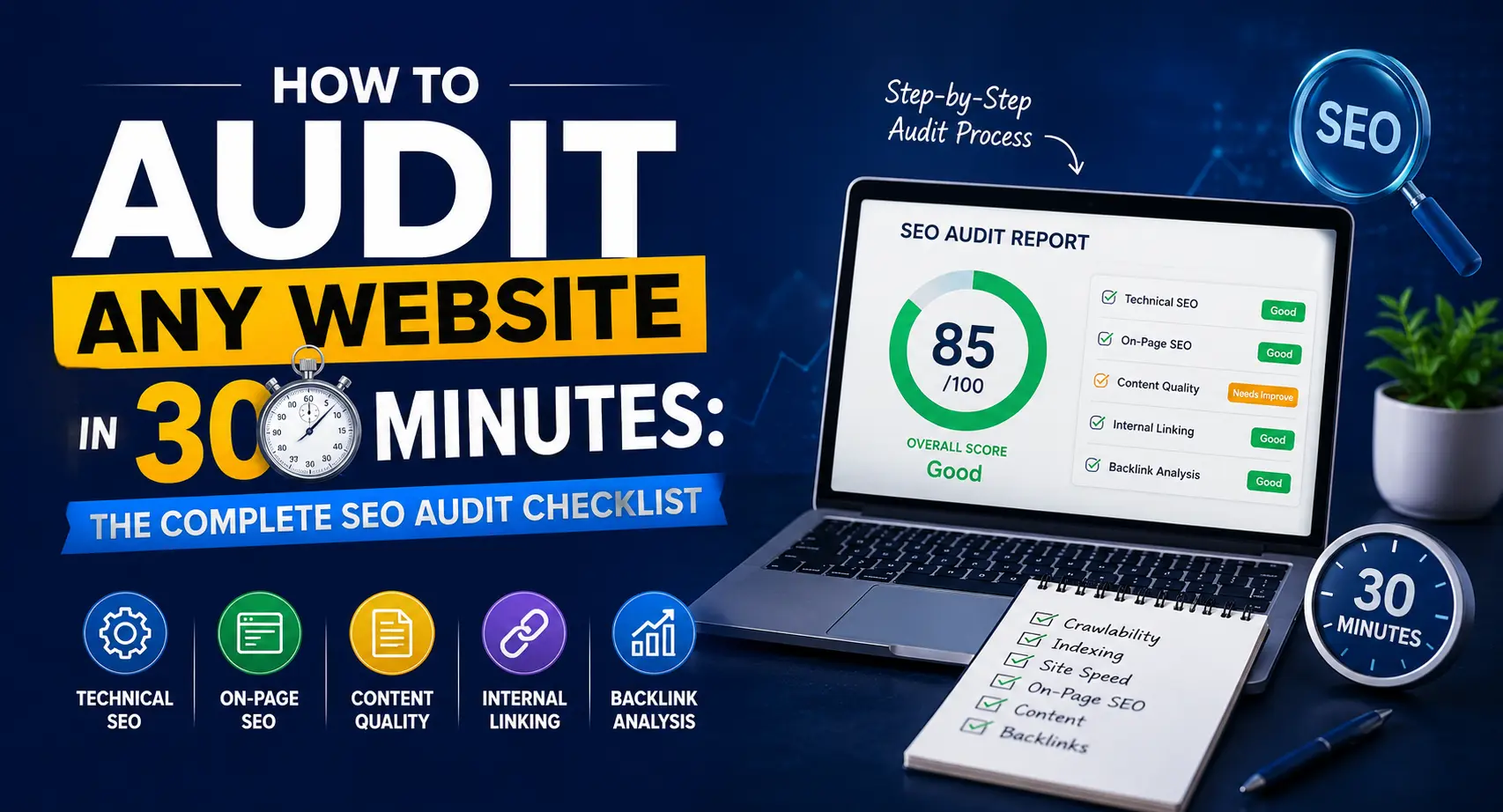
How to Audit Any Website in 30 Minutes: The Complete SEO Audit Checklist
Most website owners wait until traffic drops to run an audit. By then, the damage is already done.
A proper SEO audit does not need to take days or require expensive software. With the right framework and a clear SEO audit checklist, you can diagnose what is holding your website back in under 30 minutes and know exactly what to fix first.
We have audited hundreds of websites across industries including healthcare, real estate, e-commerce, and finance. This guide is built from that real-world experience. Whether you are a business owner checking your own site or an SEO manager working on a client project, this checklist gives you a repeatable, professional-grade process.
What Is an SEO Audit and Why Does It Matter?
An SEO audit is a systematic review of your website to identify technical issues, on-page weaknesses, and content gaps that prevent your pages from ranking on Google. Think of it as a health checkup for your website.
A good audit covers five core areas:
→ Technical health (crawlability, indexing, speed)
→ On-page SEO (titles, meta descriptions, heading structure)
→ Content quality (relevance, depth, E-E-A-T signals)
→ Internal linking (site architecture and link equity flow)
→ Off-page signals (backlink profile, brand mentions)
Google’s ranking systems evaluate all five areas simultaneously. Fixing only one while ignoring the others gives limited results. This checklist addresses all five in a logical order so you are not wasting effort.
The 30-Minute Breakdown: Where Your Time Goes
Before diving in, here is exactly how to split your 30 minutes so you do not lose track mid-audit:
| Phase | Area | Time | Priority |
|---|---|---|---|
| Phase 1 | Technical SEO | Minutes 1–10 | Critical — fix first |
| Phase 2 | On-Page SEO | Minutes 10–18 | High |
| Phase 2.5 | CTR and Performance Baseline | Minutes 18–20 | High |
| Phase 3 | Content Quality + E-E-A-T | Minutes 20–25 | High |
| Phase 4 | Internal Linking | Minutes 25–28 | Medium |
| Phase 5 | Backlink Profile | Minutes 28–30 | Medium |
Set a timer for each phase. When it goes off, note what you found and move on. The goal of a 30-minute audit is to identify, not fix. Fixes come after.
Watch this quick SEO audit tutorial to learn step-by-step how to check technical SEO, on-page SEO, content quality, and backlinks for better website performance.
👇 Download / Copy Detailed SEO Audit Google Sheet Template
📋 Open Detailed SEO Audit Google Sheet Template
Before You Start: Set Up Your Tools
You do not need to spend thousands on software to run a solid audit. Here are the tools we use at HM Digital Solution:
Free tools:
- Google Search Console — indexing data, manual actions, Core Web Vitals
- Google PageSpeed Insights — performance metrics
- Screaming Frog SEO Spider (free version crawls up to 500 URLs)
- Ahrefs Webmaster Tools (free tier for your own verified site)
Paid tools (for deeper analysis):
- Ahrefs or Semrush — backlinks, keyword rankings, site audit
- Screaming Frog full version — unlimited crawl
For most small to mid-size websites, the free tools are more than enough to identify the biggest issues. Start there before investing in paid subscriptions.
Phase 1: Technical SEO Audit (Minutes 1–10)
Technical issues are the silent killers of SEO. Your content can be perfect, but if Google cannot crawl or index your pages properly, nothing else matters. Start here.
1.1 Check Index Coverage in Google Search Console
Open Google Search Console and go to Pages > Indexing report. Look for:
→ Pages that are not indexed — understand why (noindex tag, crawl blocked, duplicate content)
→ Crawl errors — server errors (5xx) and redirect chains
→ Any manual actions under Security & Manual Actions
A healthy site should have the majority of its important pages indexed with minimal errors. If you find dozens of “Discovered but not indexed” pages, it usually signals a crawl budget problem or thin content issue.
1.2 Verify HTTPS and Canonical Setup
Check that your site forces HTTPS on all pages. Open your browser and type http://yoursite.com — it should automatically redirect to https://yoursite.com. If it does not, this is a high-priority fix.
Also verify your canonical domain. Google treats these as separate URLs:
→ https://yoursite.com
→ https://www.yoursite.com
Only one version should be accessible. Set up a 301 redirect from the non-canonical version to your preferred one.
1.3 Check robots.txt and XML Sitemap
Visit yoursite.com/robots.txt and check:
→ Important pages are not accidentally blocked
→ Your sitemap URL is referenced
Visit yoursite.com/sitemap.xml and confirm:
→ All important pages are listed
→ No noindex pages are included in the sitemap (this sends mixed signals to Google)
Submit your sitemap to Google Search Console if you have not already.
1.4 Run a Core Web Vitals Check
Go to Google PageSpeed Insights and test your homepage and top landing pages. Focus on the Field Data (real user data) section, not just the lab results.
The three metrics that correlate most with ranking and user experience are:
| Metric | What It Measures | Good Score |
|---|---|---|
| LCP (Largest Contentful Paint) | How fast the main content loads | Under 2.5s |
| FID / INP (Interaction to Next Paint) | How fast the page responds to clicks | Under 200ms |
| CLS (Cumulative Layout Shift) | How stable the layout is while loading | Under 0.1 |
Poor Core Web Vitals will not directly tank your rankings, but they signal poor user experience, which increases bounce rate and reduces the time users spend on your site — both of which matter.
1.5 Audit for Broken Links
Use Screaming Frog or a free tool like Broken Link Checker to find all 404 errors on your site. Broken internal links waste crawl budget and create dead ends for users.
Fix them by either:
→ Updating the link to point to the correct URL
→ Setting up a 301 redirect if the page has been moved
1.6 Validate Schema Markup
Schema markup is structured data code that helps Google understand your content and display rich results like star ratings, FAQs, and breadcrumbs in search. Many sites either have no schema at all, or have broken schema that actively confuses Google.
Test your schema using Google’s Rich Results Test. Check your most important pages — homepage, service pages, blog posts.
Look for:
→ Missing schema on pages that could benefit from it (LocalBusiness, Article, FAQPage, Service)
→ Errors in existing schema — invalid fields or wrong types
→ Warnings — schema present but not eligible for rich results
For a deeper look at how schema affects rankings, our guide on how schema markup helps SEO walks through implementation step by step.
Phase 2: On-Page SEO Audit (Minutes 10–18)
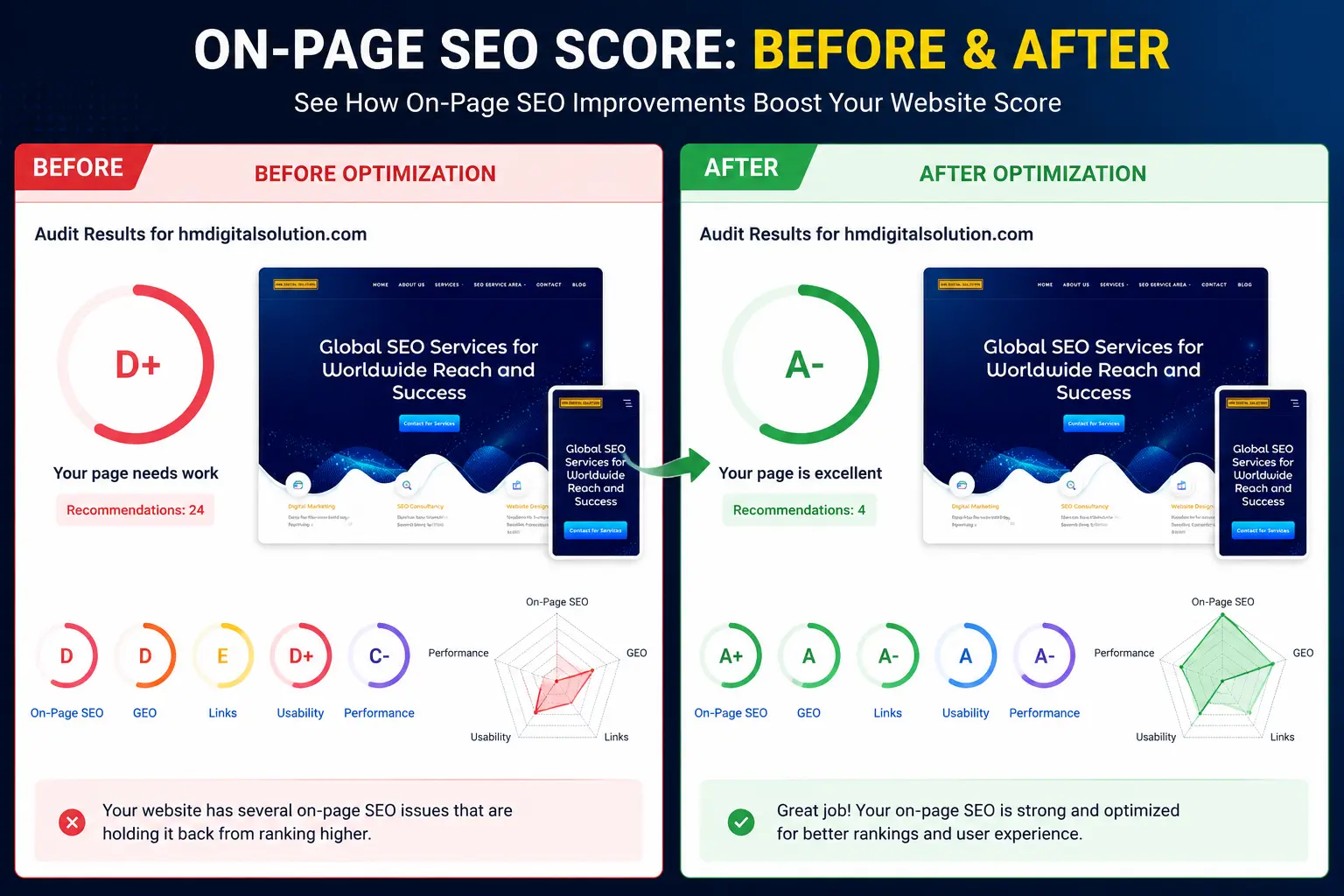
This on-page SEO score report helps identify optimization issues related to title tags, meta descriptions, heading structure, keyword placement, image alt text, and overall content quality.
Once the technical foundation is solid, move to on-page elements. These directly affect how Google understands what each page is about and whether it matches search intent.
2.1 Audit Title Tags
Title tags are still one of the most important on-page ranking signals. For each important page, check:
→ Is the target keyword present, ideally near the beginning?
→ Is the title between 55 and 65 characters? (Longer titles get truncated in search results)
→ Is each page’s title unique across the site?
→ Does it accurately reflect the page content?
A weak title like “Home | HM Digital” helps nobody. A strong title like “SEO Services in Delhi | HM Digital Solution” tells both Google and users exactly what the page offers.
2.2 Review Meta Descriptions
Meta descriptions do not directly affect rankings, but they significantly impact click-through rate. Check:
→ Is there a meta description for every important page?
→ Is it under 160 characters?
→ Does it include the target keyword naturally?
→ Does it give a compelling reason to click?
Missing meta descriptions mean Google will auto-generate one, usually pulling random text that may not represent your page well.
2.3 Evaluate Heading Structure
Use Screaming Frog or your browser’s developer tools to check each page’s heading structure. Every page should have:
→ One H1 tag — the main topic of the page, containing the primary keyword
→ H2 tags — major subtopics that support the H1
→ H3 tags — supporting points under each H2
Pages with multiple H1 tags or no H1 at all are common issues we see during technical SEO audits. Fix these before working on content.
2.4 Check URL Structure
Good URLs are short, descriptive, and keyword-rich. Review your important page URLs:
→ Are they readable? (/seo-audit-checklist is better than /page?id=123)
→ Do they include the target keyword?
→ Are they free of unnecessary parameters and numbers?
→ Do they use hyphens as separators, not underscores?
2.5 Audit Image Optimization
Run Screaming Frog to export all images on your site. Check for:
→ Missing alt text — every image should have a descriptive alt attribute
→ Oversized images — compress any image over 200KB using tools like TinyPNG or Compressor.io
→ Generic file names like IMG_4523.jpg — rename them descriptively (seo-audit-checklist-process.jpg)
Image optimization is consistently overlooked but directly affects both page speed and image search rankings.
Phase 2.5: CTR and Performance Baseline (Minutes 18–20)
This is the step most blogs skip, and it is one of the highest-impact checks in the entire audit. This is where competitors like Semrush and Ahrefs pull ahead — they always start with data before recommendations.
Open Google Search Console and go to Performance > Search Results. Set the date range to the last 28 days. Sort by Impressions (high to low).
Now look for this specific pattern:
| Signal | What It Means | Action |
|---|---|---|
| High impressions, low clicks (CTR under 2%) | Page is visible but not compelling enough to click | Rewrite title tag and meta description |
| Good CTR but low average position (below 20) | Content is relevant but not authoritative enough | Strengthen E-E-A-T, add depth, build internal links |
| Good position but dropping month over month | Competitor has refreshed their content | Update and expand the page |
| Queries showing but page not ranking for them | Content gap opportunity | Create a dedicated page or add a section |
This 2-minute snapshot tells you exactly which pages to prioritize in your fix list. Do not skip it. We have seen clients improve organic clicks by 30 to 40 percent just by fixing title tags and meta descriptions on pages that were already ranking on page one.
Phase 3: Content Audit (Minutes 20–25)
Content quality is Google’s stated top priority. The Google Quality Rater Guidelines describe exactly what evaluators look for, and it heavily centers on E-E-A-T: Experience, Expertise, Authoritativeness, and Trustworthiness.
3.1 Identify Thin and Duplicate Content
In Google Search Console, look at which pages get impressions but very few clicks. These are often thin pages that rank somewhat but fail to satisfy search intent. Common culprits include:
→ Tag and category pages with minimal content
→ Product pages with only a title and a few lines of description
→ Location pages that are near-identical copies of each other
For local SEO specifically, duplicate location pages are a major issue that can lead to a Google penalty.
3.2 Check for Keyword Cannibalization
Keyword cannibalization happens when multiple pages on your site target the same keyword, causing them to compete against each other instead of reinforcing one strong page. Our detailed guide on keyword cannibalization explains how to identify and resolve this issue systematically.
To do a quick check: search site:yoursite.com "target keyword" on Google and see how many pages come up. If more than one or two pages appear, you likely have cannibalization.
3.3 Evaluate E-E-A-T Signals
For every important page, ask:
→ Is there a clear author bio with credentials?
→ Does the content demonstrate first-hand experience or expertise?
→ Are there citations, data points, or references to credible external sources?
→ Does the site have an About page, contact information, and privacy policy?
This is especially critical for YMYL (Your Money or Your Life) topics like health, finance, and legal services. Google’s Helpful Content system directly rewards content that demonstrates real expertise.
3.4 Review Content Freshness
Open your top 10 traffic pages and check the last updated date. Content that has not been refreshed in over a year may be losing ground to fresher competitors. Add a quarterly content review to your workflow and update statistics, examples, and internal links regularly.
Phase 4: Internal Linking Audit (Minutes 25–28)
Internal linking is one of the most underused SEO levers available to any site owner. It controls how link equity flows through your site and helps Google understand your content hierarchy.
4.1 Find Orphan Pages
An orphan page is a page with no internal links pointing to it. Google may never discover or prioritize these pages no matter how good the content is. Use Screaming Frog (crawl your site and export the inlinks report) to identify pages with zero internal links.
Fix orphan pages by adding contextual links from relevant existing content.
4.2 Check Link Depth
Every important page should be reachable from the homepage in three clicks or fewer. This distributes authority efficiently and makes navigation easier for both users and crawlers.
If your top service pages are buried five or six levels deep in your site architecture, consider flattening the structure. Our detailed breakdown of site architecture for topical authority covers this in depth.
4.3 Audit Anchor Text
Generic anchor text like “click here” or “read more” passes almost no context to Google. Use descriptive, keyword-rich anchor text when linking between pages. For example, instead of “click here to learn about on-page SEO,” write “review our complete on-page SEO service process.”
Phase 5: Backlink Profile Audit (Minutes 28–30)
A quick backlink audit helps you understand your domain’s authority and flag any toxic links that might be hurting your rankings.
5.1 Check Domain Rating and Referring Domains
In Ahrefs Webmaster Tools or Semrush, check:
→ Your Domain Rating (DR) or Domain Authority (DA)
→ Number of referring domains (unique sites linking to you)
→ Month-over-month trend — is it growing, flat, or declining?
5.2 Look for Toxic Links
Filter your backlink profile by lowest trust score or spam score. Look for links from:
→ Irrelevant foreign-language directories
→ Spammy article submission sites
→ Private blog networks (PBNs)
If you find a significant number of toxic links, use Google’s Disavow Tool cautiously. Disavowing legitimate links by mistake can hurt rankings more than the toxic links themselves.
5.3 Find Unlinked Brand Mentions
Search for your brand name in Google and check if sites that mention you have actually linked back to you. Unlinked mentions are the easiest link-building wins available a simple outreach email asking for a link often works.
Your 30-Minute SEO Audit: Quick Reference Checklist
Use this as your go-to SEO audit checklist every quarter:
Technical (10 minutes)
Index coverage checked in Google Search Console
HTTPS and canonical domain verified
robots.txt and sitemap.xml reviewed
Core Web Vitals checked (LCP, INP, CLS)
Broken links identified and fixed
Schema markup validated via Google Rich Results Test
On-Page + CTR Baseline (10 minutes)
Title tags reviewed (keyword-rich, under 65 chars, unique)
Meta descriptions present and compelling (under 160 chars)
Heading structure correct (one H1, logical H2/H3 hierarchy)
URL structure clean and keyword-relevant
Image alt texts and file names optimized
GSC Performance report checked — flag pages with high impressions but low CTR
Content (5 minutes)
Thin and duplicate content identified
Keyword cannibalization checked
E-E-A-T signals present (author bios, citations, contact info)
Top pages reviewed for freshness
Internal Linking (3 minutes)
Orphan pages identified
Important pages reachable within 3 clicks
Anchor text descriptive and keyword-relevant
Backlinks (2 minutes)
Domain Rating and referring domains checked
Toxic links reviewed
Unlinked brand mentions identified
Common SEO Audit Mistakes to Avoid
Even experienced SEOs fall into these traps:
Fixing everything at once. Prioritize by impact. Use this simple framework we follow at HM Digital Solution:
→ Tier 1 — Fix this week: Crawl and indexing errors, broken pages, missing schema, manual actions
→ Tier 2 — Fix this month: Thin content, keyword cannibalization, CTR improvements, E-E-A-T gaps
→ Tier 3 — Fix this quarter: Backlink profile, internal linking architecture, content refresh
Skipping the CTR baseline. Most audits jump straight to technical fixes without checking which pages are already ranking but not getting clicked. That is the fastest wins available — no new content needed, just better title tags and meta descriptions.
Ignoring mobile. Over 60% of searches happen on mobile. Always test your audit findings on a mobile device, not just desktop.
Treating audit as a one-time task. Google updates its algorithm hundreds of times per year. A quarterly audit cycle is the minimum for competitive industries.
Confusing symptoms with causes. If traffic dropped, run through the full checklist before assuming it is a Google penalty. Most traffic drops are caused by technical regressions, not algorithmic action.
Missing schema on high-intent pages. Service pages, FAQ pages, and blog posts without schema are invisible in rich results. Your competitor with a 3-star rating snippet will always get more clicks than your plain blue link, even if you rank above them.
How Often Should You Run an SEO Audit?
This depends on the size and competitiveness of your industry:
| Site Type | Recommended Audit Frequency |
|---|---|
| Small business website (under 50 pages) | Every 6 months |
| Mid-size site (50–500 pages) | Quarterly |
| E-commerce or large site (500+ pages) | Monthly (automated) + quarterly deep audit |
| Post algorithm update | Immediately |
After any major site migration, redesign, or CMS change, run a full audit before and after to catch regressions early.
Conclusion: Start With What Matters Most
A complete SEO audit sounds overwhelming when you list out every possible check. The key is to follow the order in this guide. Technical issues first, then on-page, then content, then internal linking, then off-page. Each layer builds on the previous one.
If you only have 30 minutes, use our quick reference checklist above. If a particular area shows major problems, dig deeper using the specialized guides linked throughout this post.
Need help running a professional audit on your website? Our team at HM Digital Solution has worked with businesses across healthcare, real estate, e-commerce, and education. Get in touch with us and we will walk you through exactly what is holding your site back.

(2) Comments